





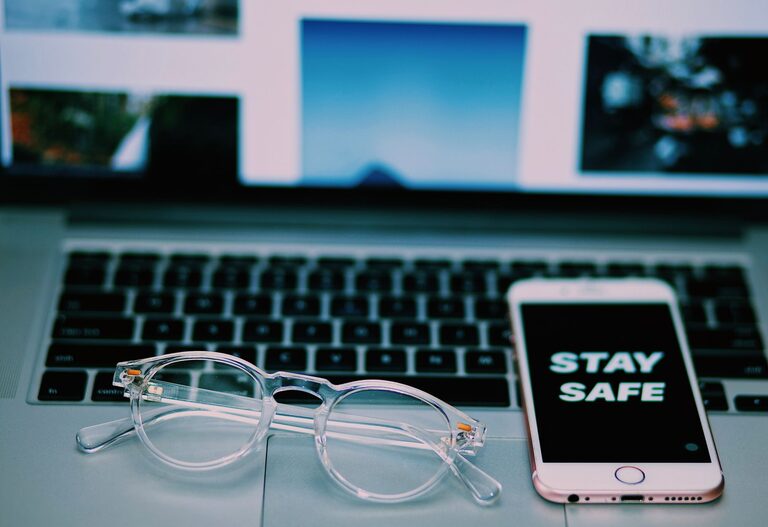
Keeping your phone and keyboard clean is essential not only for hygiene but also to maintain their performance and longevity. These everyday devices can accumulate dust, dirt, oils, and germs, which can affect their appearance and function over time. However, cleaning them improperly may cause damage. This guide will walk you through safe, easy methods to clean your phone and keyboard effectively.
Why Cleaning Your Phone and Keyboard Matters
Phones and keyboards are frequently touched surfaces, often carrying bacteria and grime from hands and the environment. Regular cleaning helps:
– Reduce the buildup of dirt and germs
– Prevent sticky keys or screen smudges
– Maintain device appearance
– Improve overall hygiene, especially during cold and flu seasons
Now, let’s dive into the steps to clean each device safely.
How to Clean Your Phone Safely
Phones come in various models and materials, but most have sensitive screens and electronic components. Use these tips to avoid damage:
What You’ll Need
– Microfiber cloth (soft and lint-free)
– Distilled water
– Isopropyl alcohol (70% or less)
– Cotton swabs
– Small spray bottle (optional)
Step-by-Step Cleaning Instructions
- **Turn Off and Unplug Your Device**
Always start by powering down your phone and disconnecting any cables to avoid electrical issues.
- **Remove the Case**
Take off any phone case to allow cleaning of both the phone and case separately.
- **Prepare a Cleaning Solution**
Mix equal parts distilled water and isopropyl alcohol in a spray bottle if you like, or use pre-moistened alcohol wipes designed for electronics.
- **Wipe the Phone Gently**
Lightly dampen a microfiber cloth with the cleaning solution. Avoid spraying liquids directly onto the phone. Wipe the screen and body carefully.
- **Clean Small Crevices**
Use a cotton swab slightly moistened with the solution to clean around buttons, camera lenses, and speaker grills.
- **Dry the Phone**
Use a dry microfiber cloth to remove any remaining moisture. Let the phone air dry for a few minutes before powering it back on.
- **Clean Your Phone Case**
Depending on the case material, wash with mild soap and water or wipe with the alcohol solution. Dry thoroughly before putting it back on.
Tips to Remember
– Avoid bleach, hydrogen peroxide, or abrasive cleaners.
– Do not immerse your phone in water or cleaning solutions.
– Check your phone manufacturer’s cleaning recommendations.
How to Clean Your Keyboard Safely
Keyboards also collect dust, crumbs, and oils. They can be mechanical, membrane, or membrane-mechanical types, but general cleaning principles apply.
What You’ll Need
– Microfiber cloth
– Compressed air canister
– Isopropyl alcohol (70%)
– Cotton swabs or soft brush
– Mild dish soap
– Small bowl of water (for removable keys)
Cleaning Steps for Keyboards
#### 1. Turn Off or Unplug Your Keyboard
For external keyboards, unplug from your computer. For laptop keyboards, shut down the device.
#### 2. Remove Loose Debris
– Hold the keyboard upside down and gently shake it to dislodge crumbs and dust.
– Use compressed air to blow out particles lodged between keys.
#### 3. Wipe the Surface
Dampen a microfiber cloth with a mix of isopropyl alcohol and water (equal parts). Wipe the key tops and keyboard surface gently. Avoid excess moisture.
#### 4. Clean Between the Keys
Use cotton swabs dipped lightly in the cleaning solution to get into tight spaces between keys. A soft brush can also help dislodge dirt.
#### 5. Deep Cleaning (Optional)
If your keyboard has removable keys, you can carefully pop them off with a key puller or small tool (check manufacturer instructions). Soak keys in warm, soapy water for a few minutes, rinse, and dry completely before reattaching.
#### 6. Dry and Reassemble
Allow the keyboard to dry fully before plugging it back in or turning your device on.
Additional Tips
– Avoid spraying liquids directly onto the keyboard.
– For laptop keyboards, be especially cautious with moisture.
– Regular light cleaning prevents buildup and preserves functionality.
Maintaining Clean Devices Daily
– Wash your hands before using devices.
– Avoid eating or drinking near your phone and keyboard.
– Use screen protectors or keyboard covers for easier cleaning.
– Clean your devices regularly, at least once a week, or more often during illness seasons.
Conclusion
Cleaning your phone and keyboard safely doesn’t need to be complicated or time-consuming. Using the right materials and gentle techniques will keep your devices looking good and working well while maintaining hygiene. Incorporate these habits into your routine, and enjoy fresh, clean tech every day.
Happy cleaning!




More Stories